DevHub · Features
Updates
DevHub looks for a new version by itself and tells you. Nothing is downloaded or installed until you ask.
When it checks
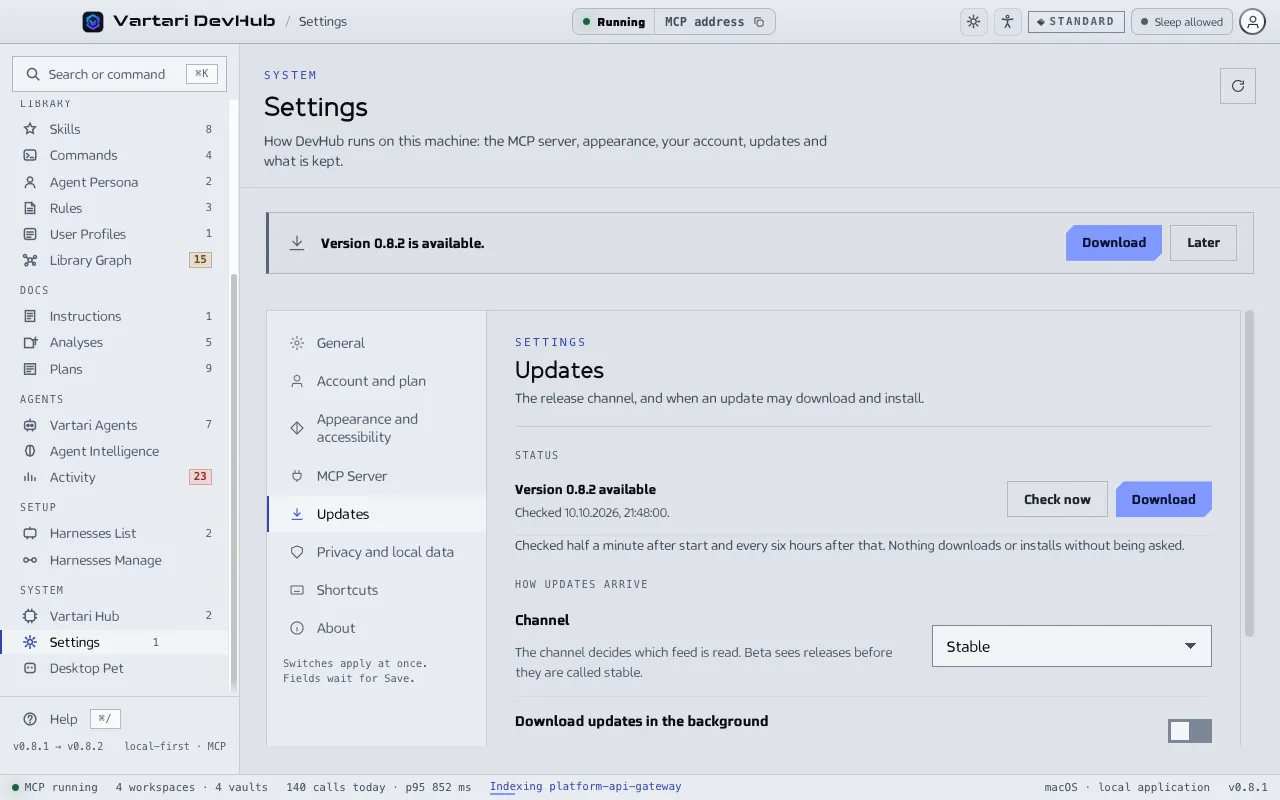
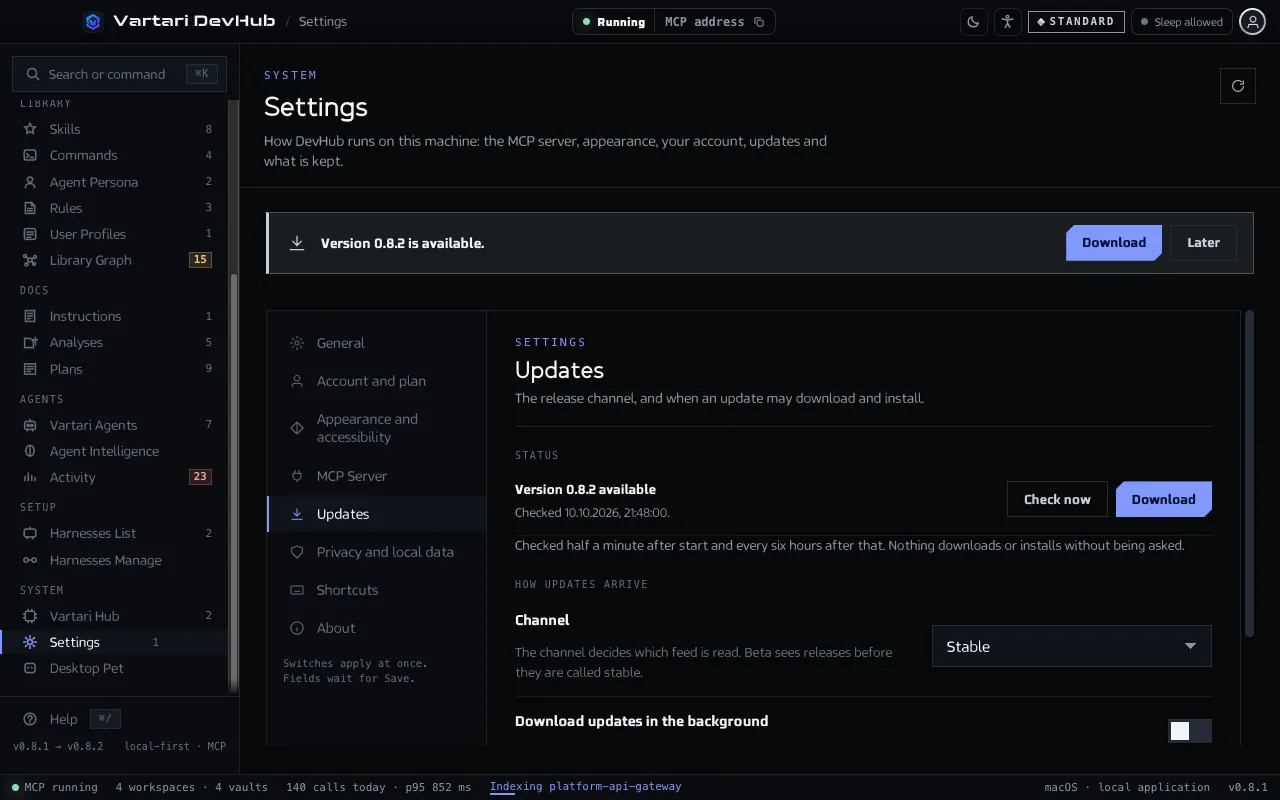
Section titled “When it checks”DevHub checks half a minute after it starts and every six hours after that, without opening Settings. When a version is available, a banner at the top of the screen says “Version N available” with Download and Later. Settings and the Dashboard count an available update. Click Check now in Settings > Updates to check at once.
The status line reads up to date, Version N available, update required or, in a build without updates, updates disabled.
Install a new version
Section titled “Install a new version”- Click Download. The progress bar shows the download.
- When it is done, click Install and restart. On macOS the button is Open installer, and you drag Vartari DevHub to Applications to finish.
- After the restart, DevHub starts with the new version.
If an agent holds a plan step when you install, DevHub asks first, because quitting ends its session. DevHub also starts after an update with the current version already known, so it does not offer the version you just installed.
Choices
Section titled “Choices”- Channel: Stable, or Beta, which gets releases before they are called stable. Some builds fix the channel and show it as text.
- Download updates in the background: off by default, so a metered connection is never spent without being asked.
- Install on quit: installs the downloaded update when you quit, which is the one moment a restart costs nothing.
A required update
Section titled “A required update”Some versions are marked as old. DevHub then says Version N — update required, or Version N can no longer be used, with the reason. A rule of this kind carries over a restart and cannot be avoided by being offline.